Ditch the printers. Get a clear overview.
Our Kitchen Display System organizes your kitchen. Every order from the POS, kiosk, and QR code appears on one screen. Your team sees what's pending, prepares the food, and marks it as ready. Works on iPad, Android, or professional hardware.
Get started now
POS-integrated and independent
Orders come directly from your POS system, regardless of the channel. You don't have to switch systems or manage data twice.
Offline-first
The KDS syncs all devices locally. If your internet fails, the kitchen keeps running. No ticket gets lost.
Any hardware
Start with an iPad and upgrade to kitchen-grade stainless steel displays later. The KDS runs on any device; you aren't tied to specific hardware.
Pickup screen in your design
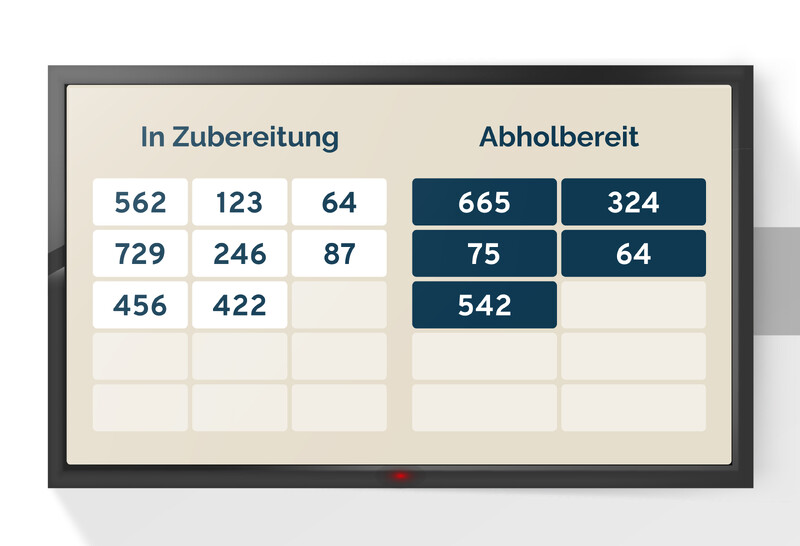
The pickup monitor shows guests their order status in your corporate design. Your colors, your logo, and your font.


How the KDS works
Order received
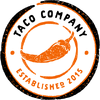
As soon as a guest orders, the ticket appears on the correct screen. It doesn't matter if the order comes from the POS, a kiosk, or via QR code from the table. Your team doesn't have to switch systems or sort paper tickets.
Kitchen prepares
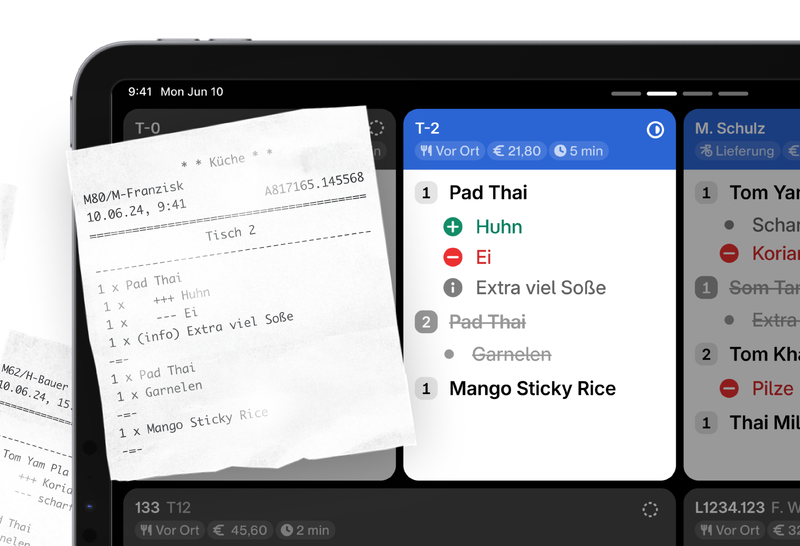
Each ticket automatically goes to the right production station. The grill sees grill orders, the bar sees drinks. Timers show if an order takes too long, and color codes make priorities clear. Your team gets to work instead of searching.
Guest picks up
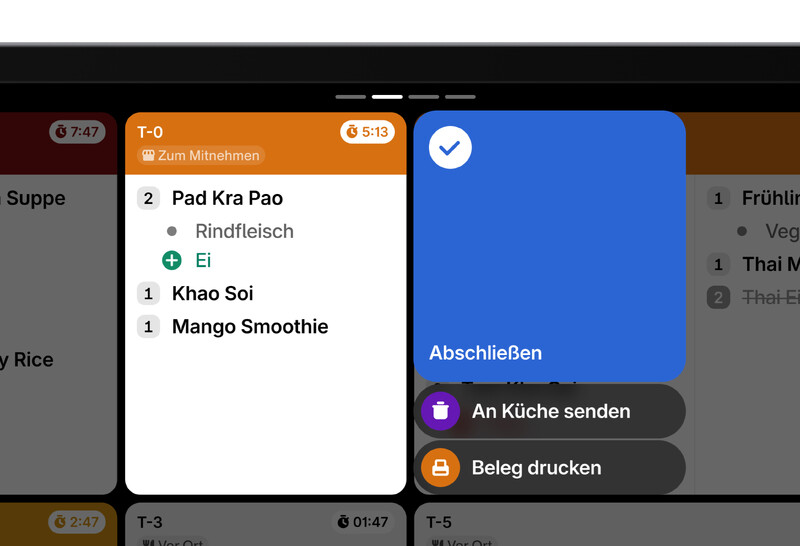
When the kitchen marks a ticket as ready, the order number appears on the pickup monitor in the dining area or the pass monitor for service staff. Guests see immediately when it's their turn, without anyone needing to shout or search.
Filters & Routing
Not every station needs every ticket. The KDS filters orders by station, category, or individual items. No matter how complex your kitchen setup, each screen only shows what needs to be prepared there.
Actions
Directly from the screen: cancel tickets, increase priority, notify service, or trigger a pager. Your team communicates without leaving their station.
Widgets
Open orders, average wait time, and most-ordered items. Live data directly on the KDS keeps your chef informed of any bottlenecks.
Customizable
Every kitchen is different. Layout size, font size, color codes, and notification sounds. The KDS adapts to your workflow, not the other way around.
One price per screen. All inclusive.
You only pay for software use and payment processing. No hidden revenue shares.
The complete solution for digital orders:
Includes software license and direct POS integration.
What's included
-
Unlimited tickets
No limits on order volume
-
Full POS integration
Lightspeed, ready2order, unTill, SO'USE, and more
-
Offline sync
Keeps working without internet
-
Service & Support
Hosting, updates, and personal support included
Cancel monthly
Stay flexible. No long-term contracts – cancel your licenses easily at the end of any month.
Get started your way
The choice is yours: set up your menu yourself for free or add our all-inclusive service.
Personal support
We help you. Our support team assists you via email with questions about setup and usage.
Free updates
Always up to date. We automatically install new features and security updates at no extra cost.
Frequently asked questions
What is included in the 'Base license incl. POS integration' for €50/month?
This license gives you access to the platform and back office, plus a two-way connection between SO'USE and your POS system. We sync your items so your menu is always up to date. All incoming orders, payments, and tips are sent directly to your POS system.
How long does it take to set up SO'USE in my business?
With our free onboarding and plug-and-play solutions, you are usually live and ready to go in a few days.
What guest notification options are available for self-service concepts?
Self-service concepts offer many ways to notify guests via smartphone that their order is ready for pickup.
With SO'USE Order & Pay , the web app automatically updates guests on their order status. Most guests see these notifications, which is usually enough. You can also send updates via email, SMS (10ct/SMS), or push notification (currently Android only).
Our Kitchen Display System also lets you notify guests via pickup monitors inside your restaurant.
Additionally, you can use a pager system from our partner Discover Systems to inform guests at the table or after they use a self-order-terminal.
Which POS systems does SO'USE support?
We support most common POS systems in the DACH and BeNeLux regions and constantly integrate new ones to make SO'USE accessible to as many restaurateurs as possible.
Our Kitchen Display System currently supports:
ready2order
Untill (MS POS)
Lightspeed K-Series

