
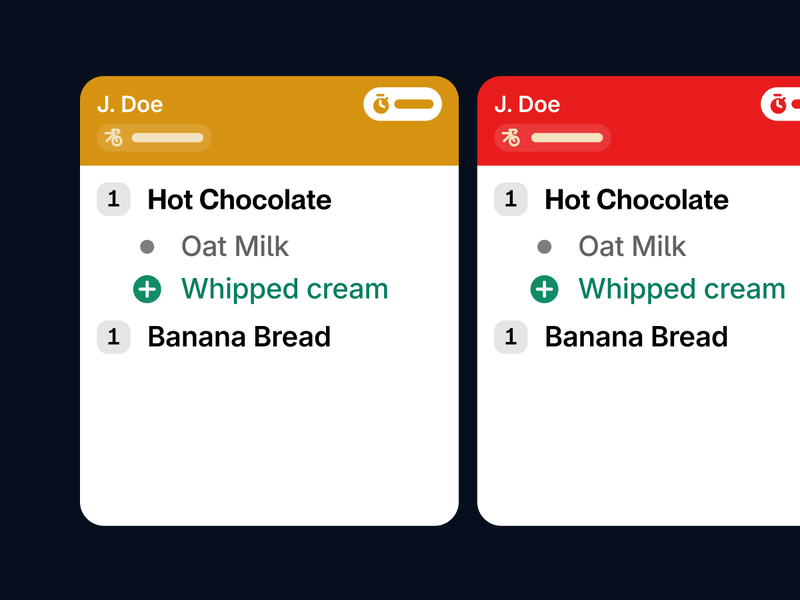
All channels on one screen
Whether the order comes from the kiosk, the POS, or a delivery service: everything appears centrally and organized on the kitchen monitor. No more paper chaos.
Diese Seite ist auch auf Deutsch verfügbar.
Connect Lieferando, Wolt & Uber Eats directly to your POS. Orders print automatically, and menus sync centrally.
Get started now
Get rid of the extra devices
Clear your counter. Everything runs through one central system instead of multiple tablets ringing at once. No more errors or missed revenue.
Automatic kitchen printing
No more manual typing. 100% legal compliance. Everything goes directly to the receipt printer or KDS in the kitchen. We print the invoice directly where needed.
Central menu
Update prices or dishes once in the SO'USE back office, and we push the update live to all platforms in seconds.
Automated accounting
No more paperwork. You get all revenue from your connected platforms bundled neatly in your cash report.
Stop typing orders from tablets manually. Whether it's your webshop, Lieferando, Uber Eats, or Wolt: Every order enters your POS system automatically—correctly booked and at the right time.
Get started nowSO'USE speaks your POS system's language—directly and without extra costs. Full data synchronization with maximum stability.
Discover all integrations
Processing is fully automatic. You keep an overview and can intervene easily. Manage your delivery business flexibly and in real-time via the order dashboard. Runs on any device.
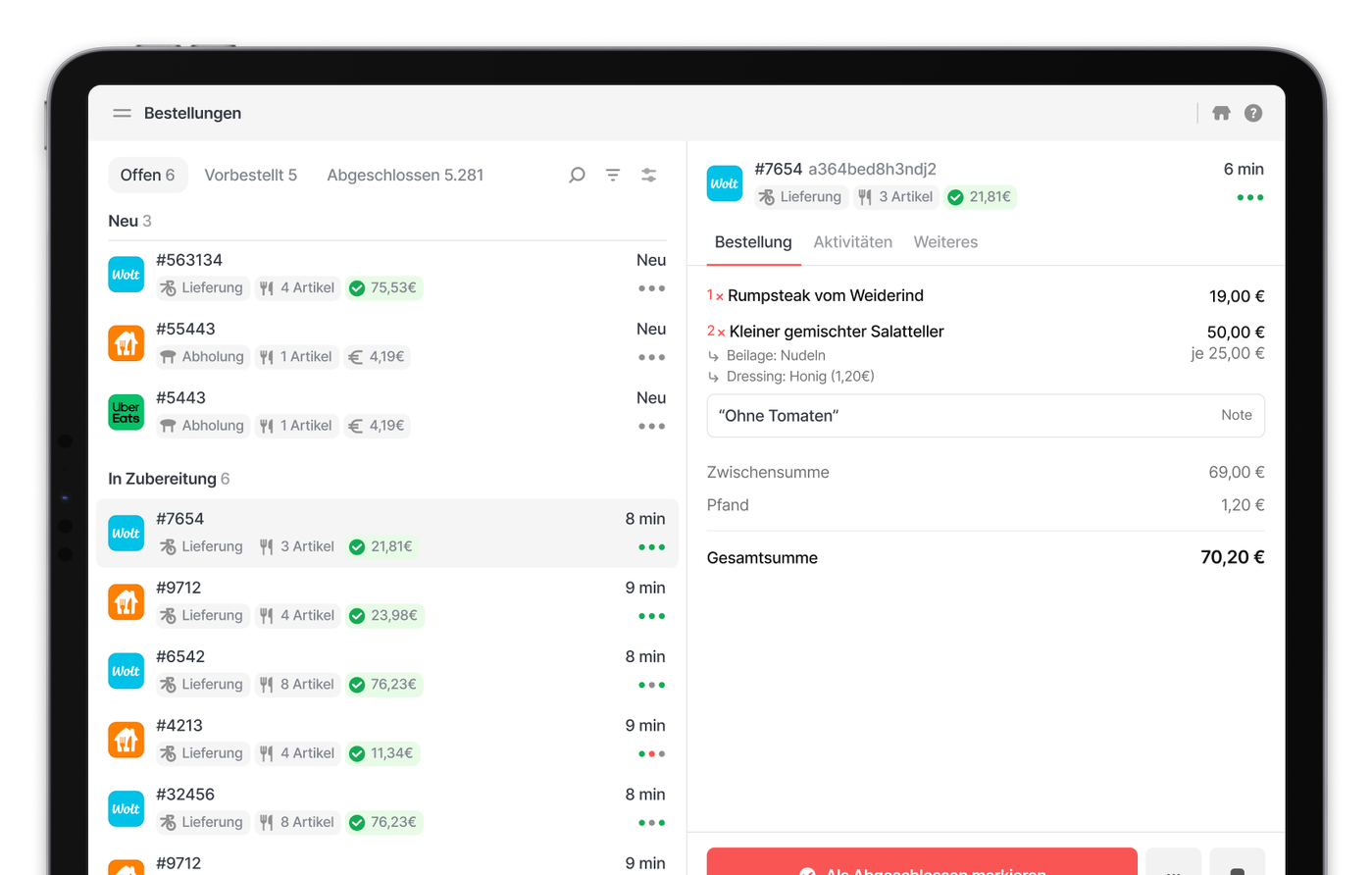
Central control
Turn off all delivery services simultaneously with one click. This relieves your team during peak times on-site and ensures quality.
Disable items instantly
If a dish is sold out, mark it as "unavailable" directly in the dashboard. The change transfers to all connected platforms in real-time.
Manual control
You decide the process: Use auto-accept for maximum efficiency or check and confirm every incoming order manually.
Track performance
Which delivery service generates the most revenue? Where are cancellation rates highest? Use reports to optimize your delivery channels based on data.
The ideal extension: The KDS module replaces paperwork with digital processes and automatically informs your guests via the pickup monitor.
Discover our Kitchen Display System Whether the order comes from the kiosk, the POS, or a delivery service: everything appears centrally and organized on the kitchen monitor. No more paper chaos.
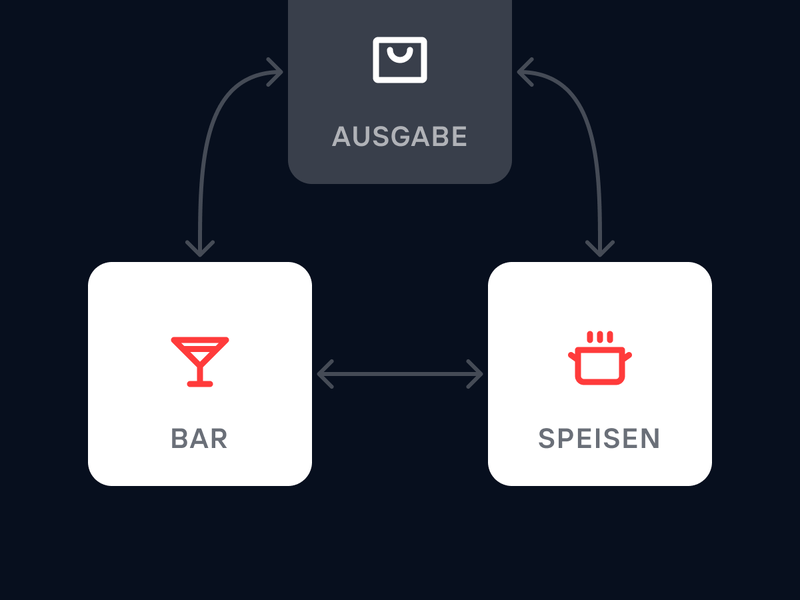
The system thinks with you: Drinks show up at the bar, food in the kitchen. Colors also highlight critical waiting times so nothing is missed.
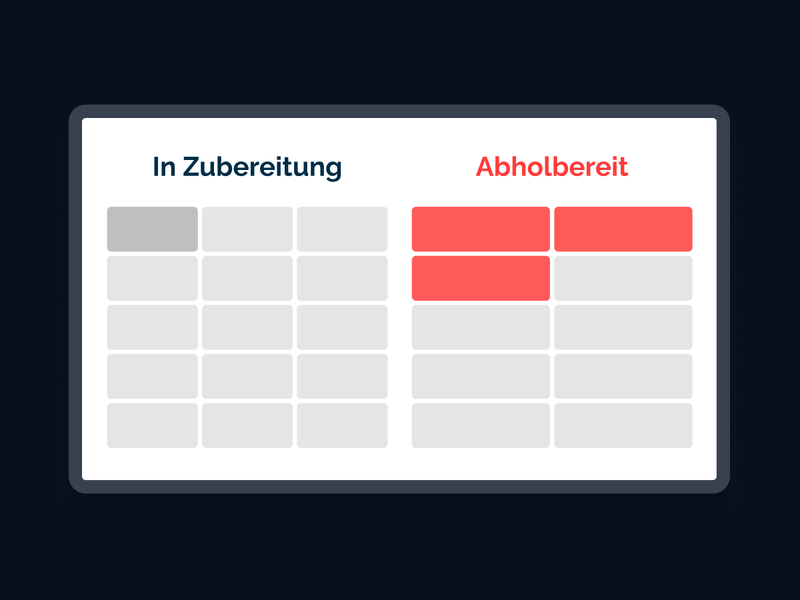
As soon as the kitchen marks an order as "ready," the number appears large on the pickup monitor in the guest area. No shouting or searching—the guest just picks it up.
From food trucks to hotel chains—more catering businesses choose SO'USE every day. Over 1,500 businesses celebrate new successes with us daily.
You only pay for the software. No hidden revenue shares.
Unlimited orders
Orders enter your POS directly
We don't charge a percentage fee
Personal support included - also via WhatsApp
Monthly payment
Fair billing - we only start billing once your onboarding is successful
Free onboarding
We guide you through the setup personally and can model your menu upon request
Free support
Whether by email, ticket, or simply via WhatsApp: we are here if you need us
Free updates
New features and security updates are always activated for you automatically, at no extra cost
SO'USE speaks the language of your delivery services – no detours, no additional costs. Full data synchronization with maximum stability.
Discover our partnerships

Yes, you maintain full control. You can individually adjust or pause availability, promotions, or opening hours for each delivery platform through the central dashboard.
This license gives you access to the platform and back office, plus a two-way connection between SO'USE and your POS system. We sync your items so your menu is always up to date. All incoming orders, payments, and tips are sent directly to your POS system.
With our free onboarding and plug-and-play solutions, you are usually live and ready to go in a few days.
All orders go directly into the POS system and are assigned to the respective table, just as if a server had entered the order manually. The system records all online payments for accounting in a TSE-compliant manner directly in the POS.
By importing the menu and item master data into the SO'USE system, you manage items in the POS as usual, and our system synchronizes them seamlessly. SO'USE automatically updates and adopts prices and items after any import or adjustment.
We support most common POS systems in the DACH and BeNeLux regions and constantly integrate new ones to make SO'USE accessible to as many restaurateurs as possible.
Our Kitchen Display System currently supports:
ready2order
Untill (MS POS)
Lightspeed K-Series
If your POS system isn't supported yet, that is not a problem. We will contact you immediately with feedback on the integration status – it might already be in progress or planned.
Until your integration is available, you can use SO'USE in standalone mode to manage orders via a tablet or connected receipt printers.

Over 1,500 customers already rely on SO'USE