Order & Pay
As flexible as your concept
One platform, endless possibilities. Choose the focus that fits your business:
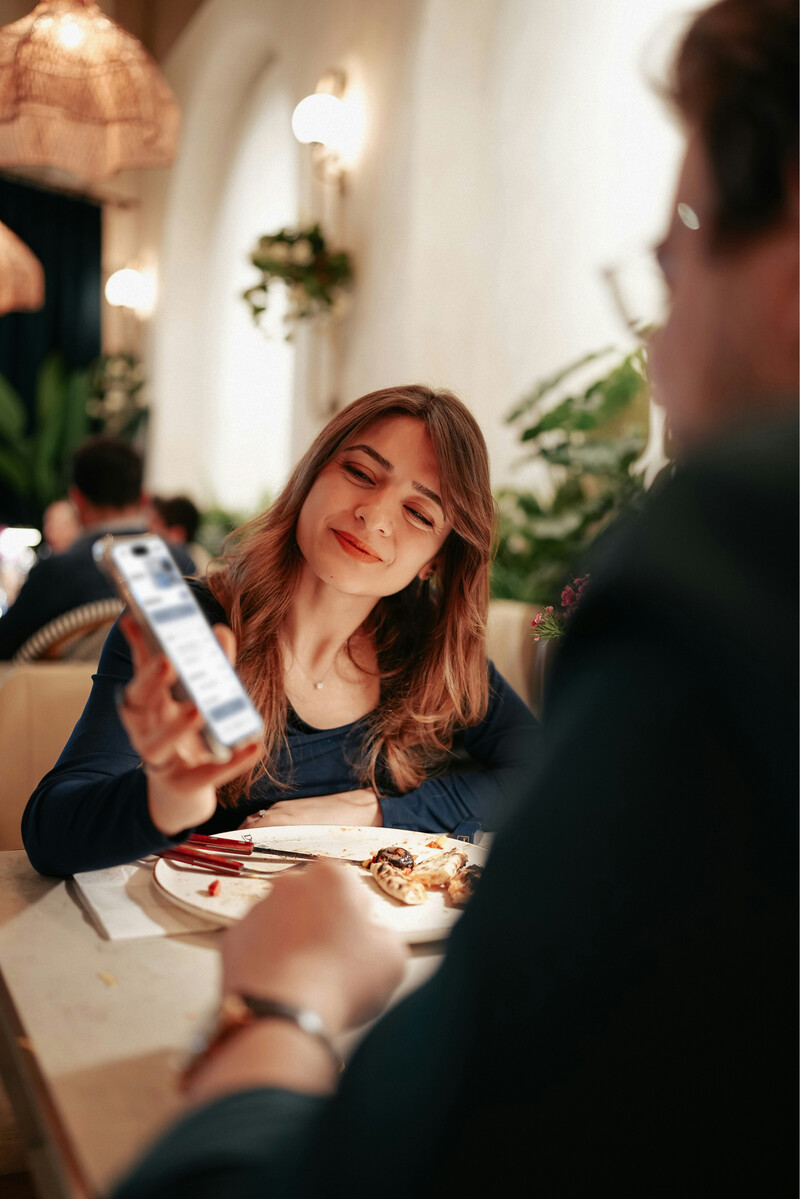
No app, no login.
Guests scan and order instantly in their browser. No downloads or mandatory registration.
Maximize revenue
More than just a digital menu: Use SO'USE as your optimized service playbook. We show you how.
Eliminate wait times
Stop making guests wait for the menu or the bill. Smart features ensure your team is never overwhelmed.
Compensate for staff shortages
We speak your POS system's language so you have more time for hospitality. A noticeable relief.


The process: Tailored exactly to your concept
Get started now1. Clear menu
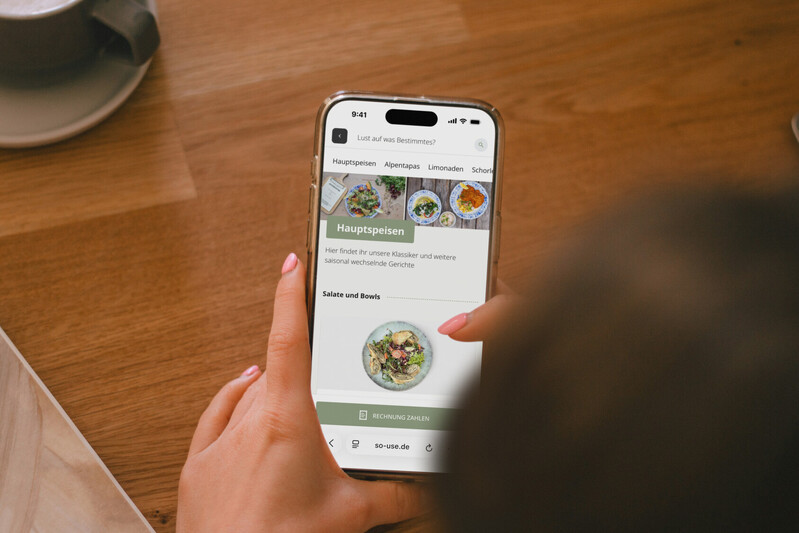
Offer your guests a clean, clear menu. Filterable allergens, dish characteristics, and automated item availability ensure content is always relevant.
2. Upsells & cross-sells
With your SO'USE menu, you break free from rigid POS rules. Increase upsells & cross-sells by 30%+ and create a flexible service playbook instead of a static menu.
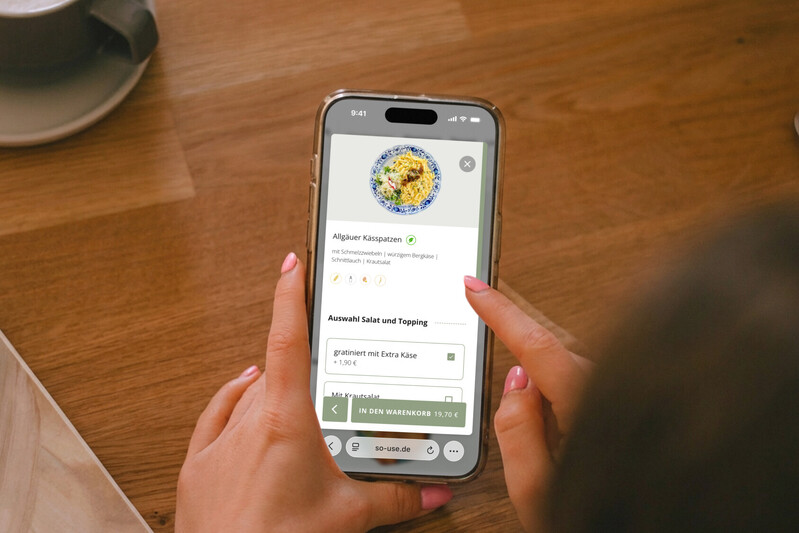
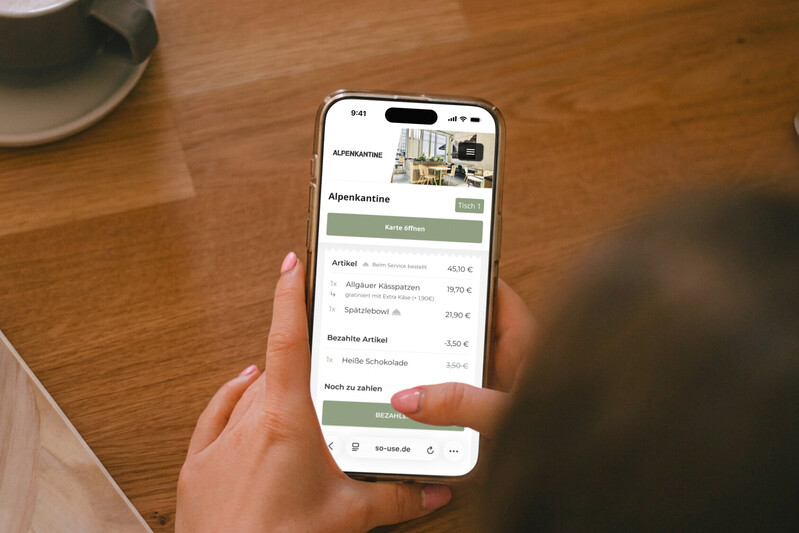
3. Pay anytime
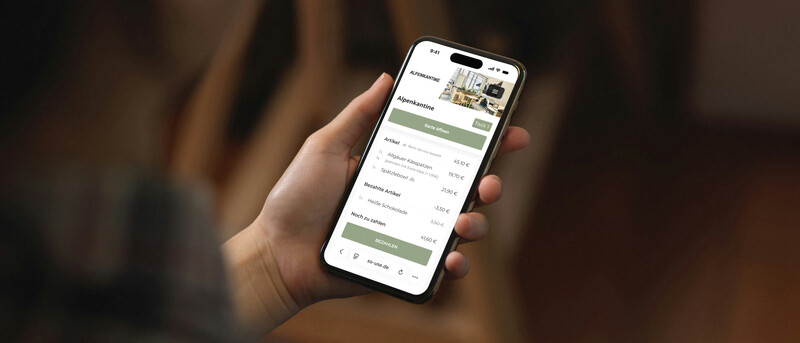
After ordering, guests can view their open tab and pay whenever they want. The receipt from your POS system is sent directly to the guest and can be converted into a tax receipt with just a few details.
From the table to the screen: 100% your brand
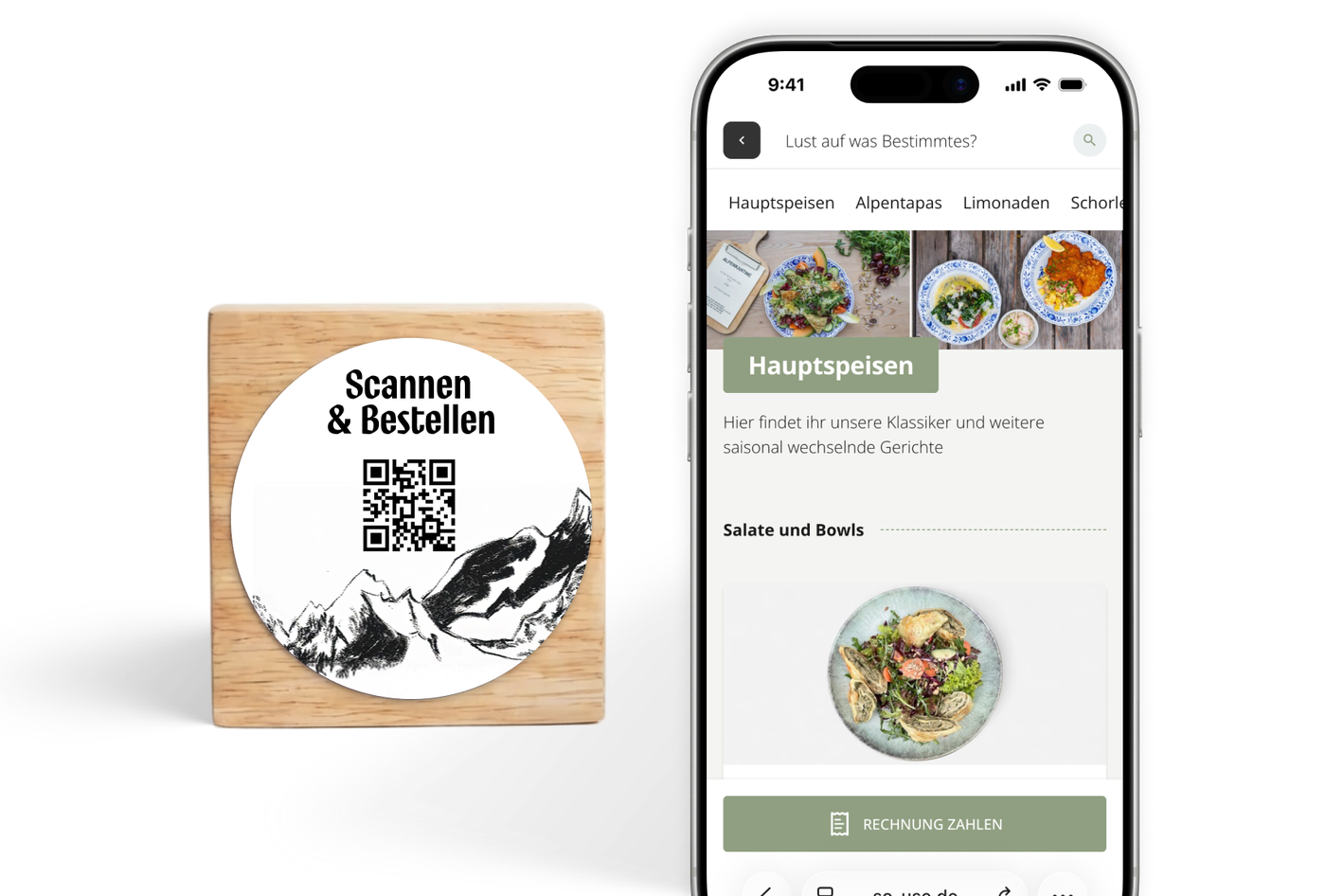
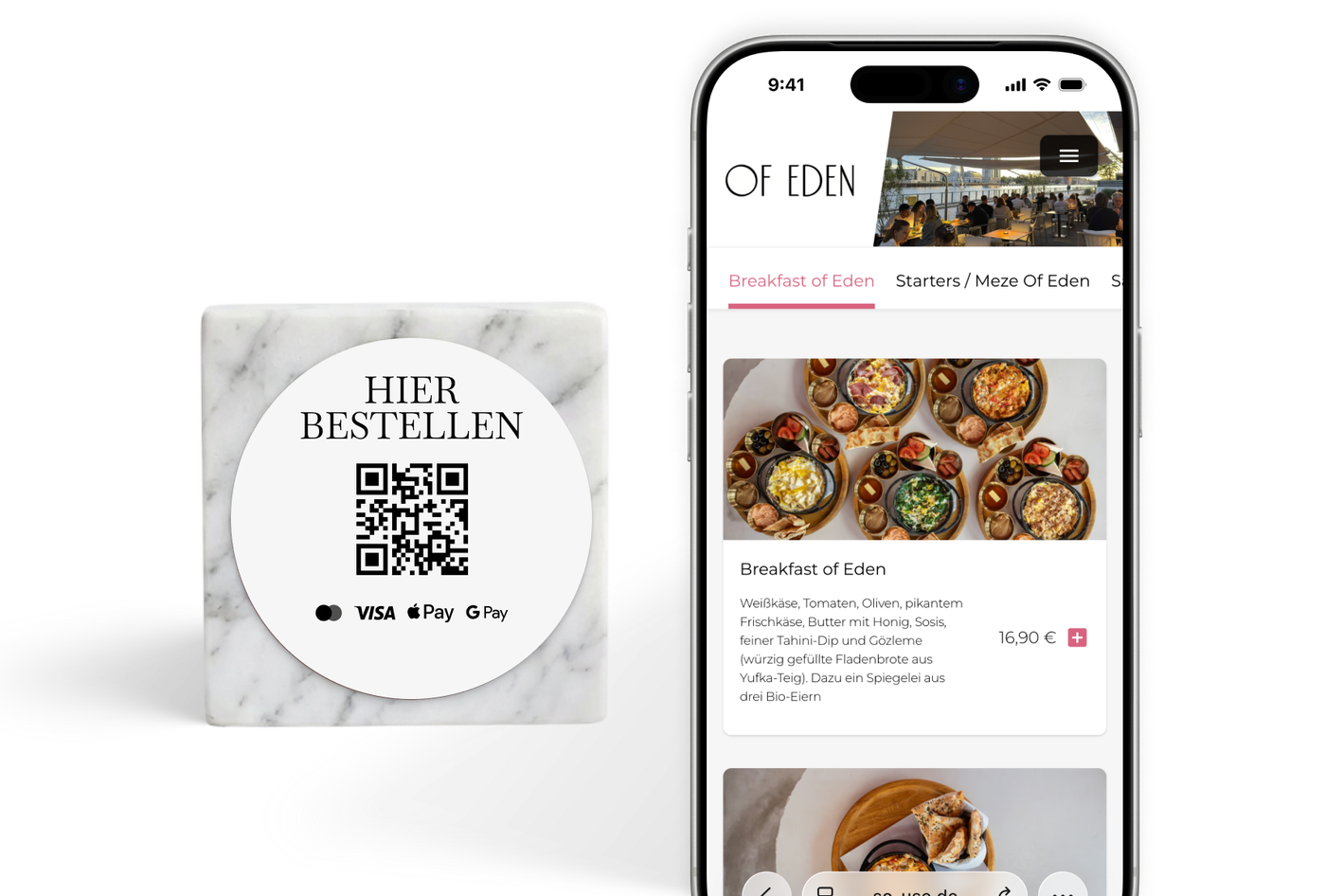
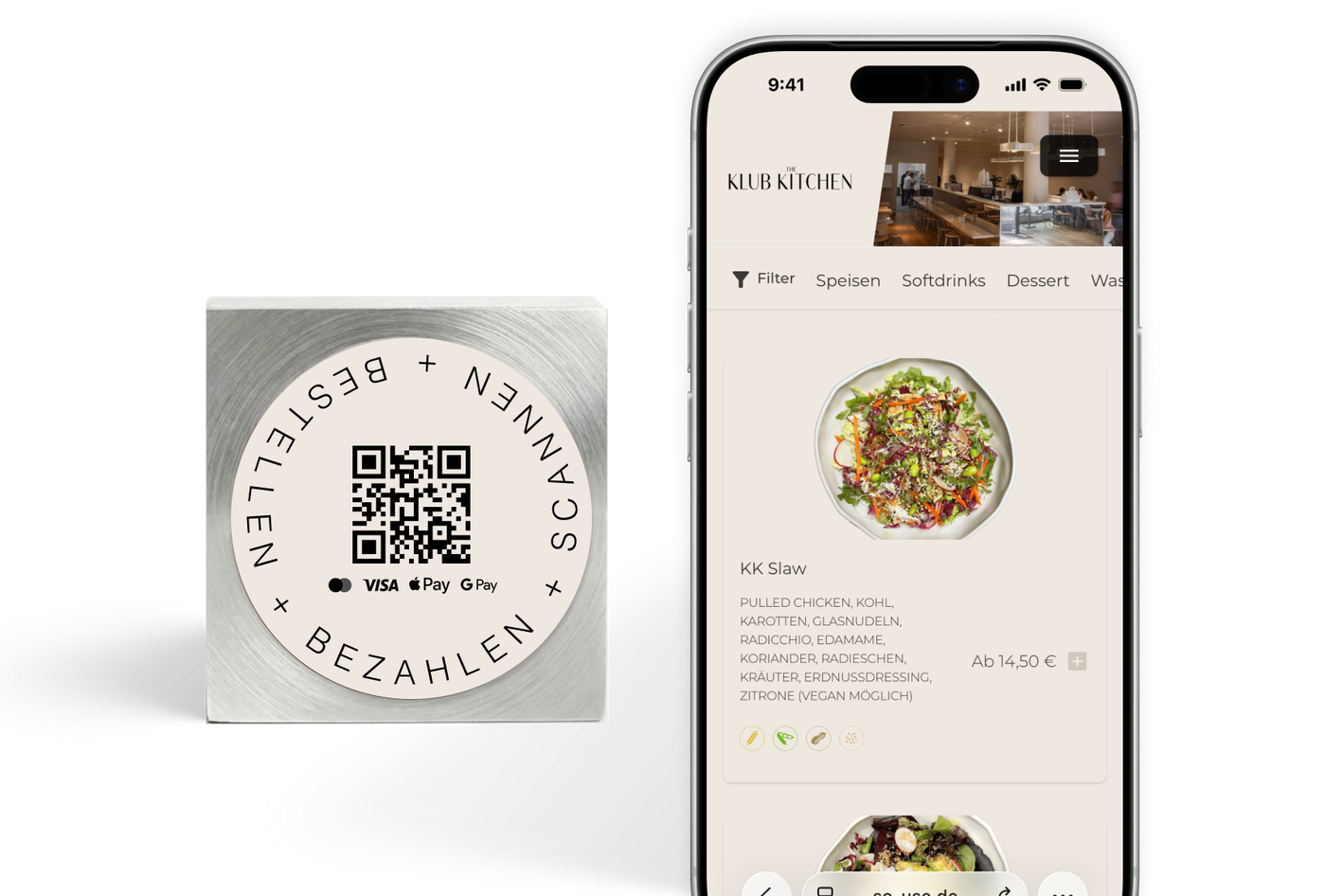
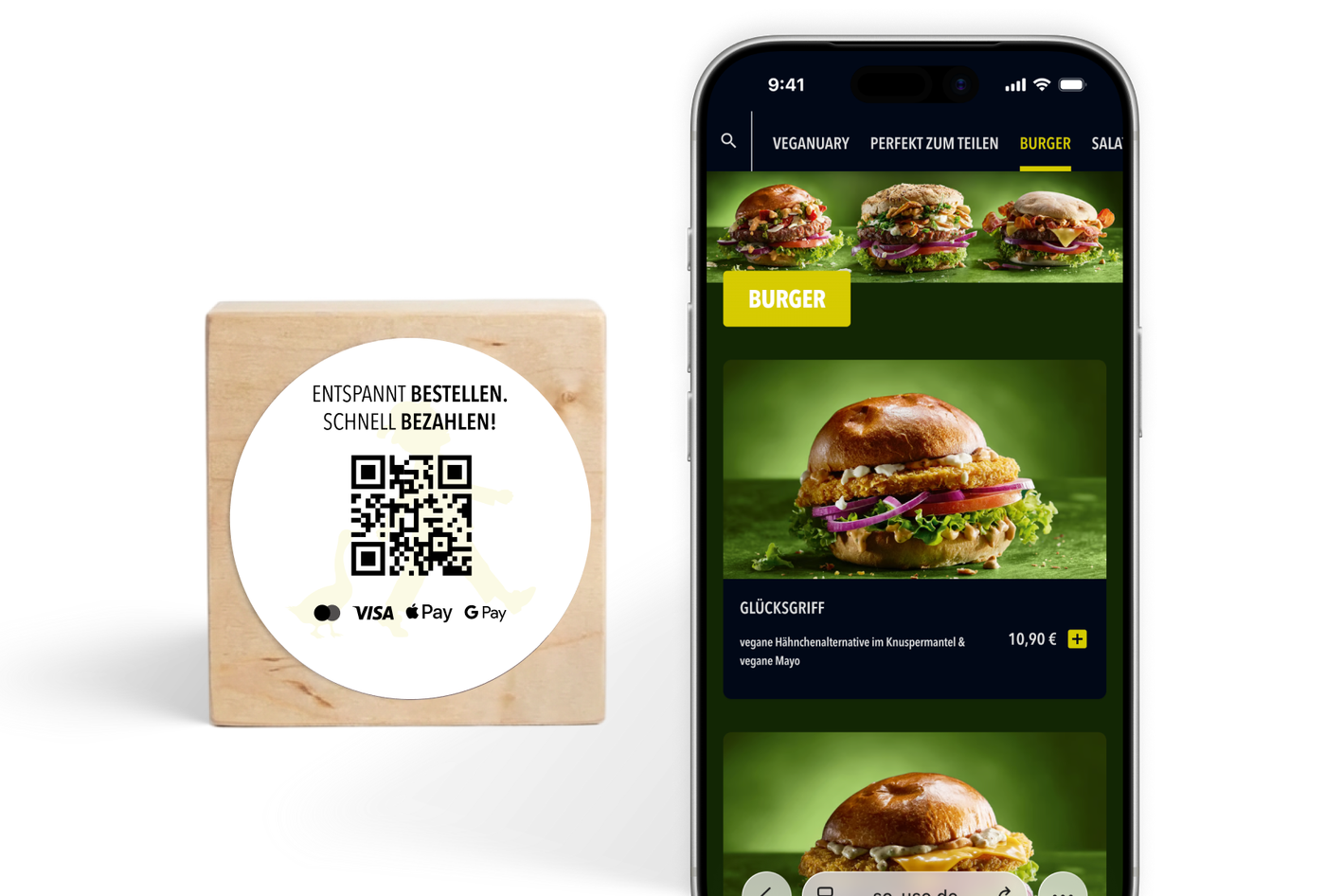
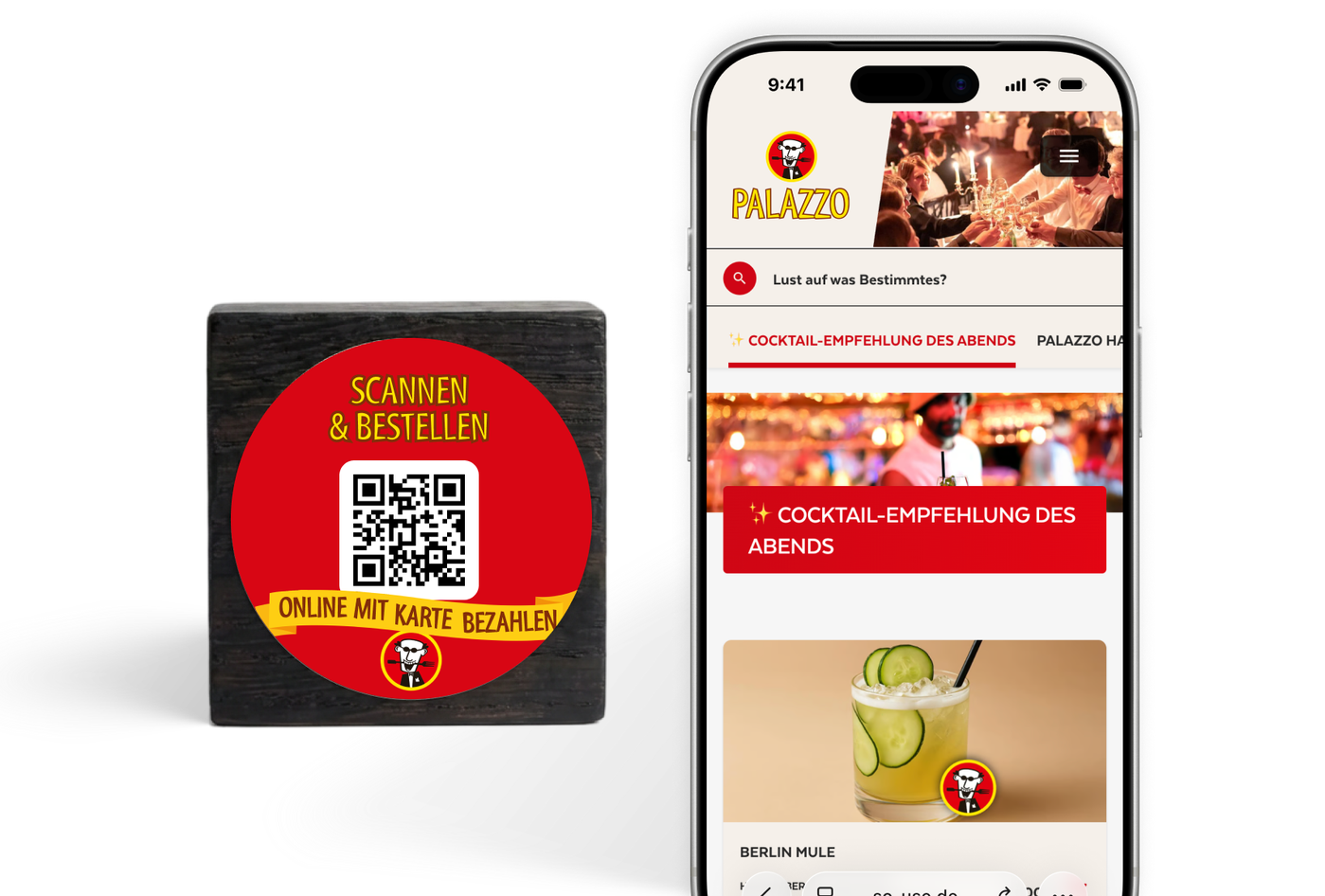
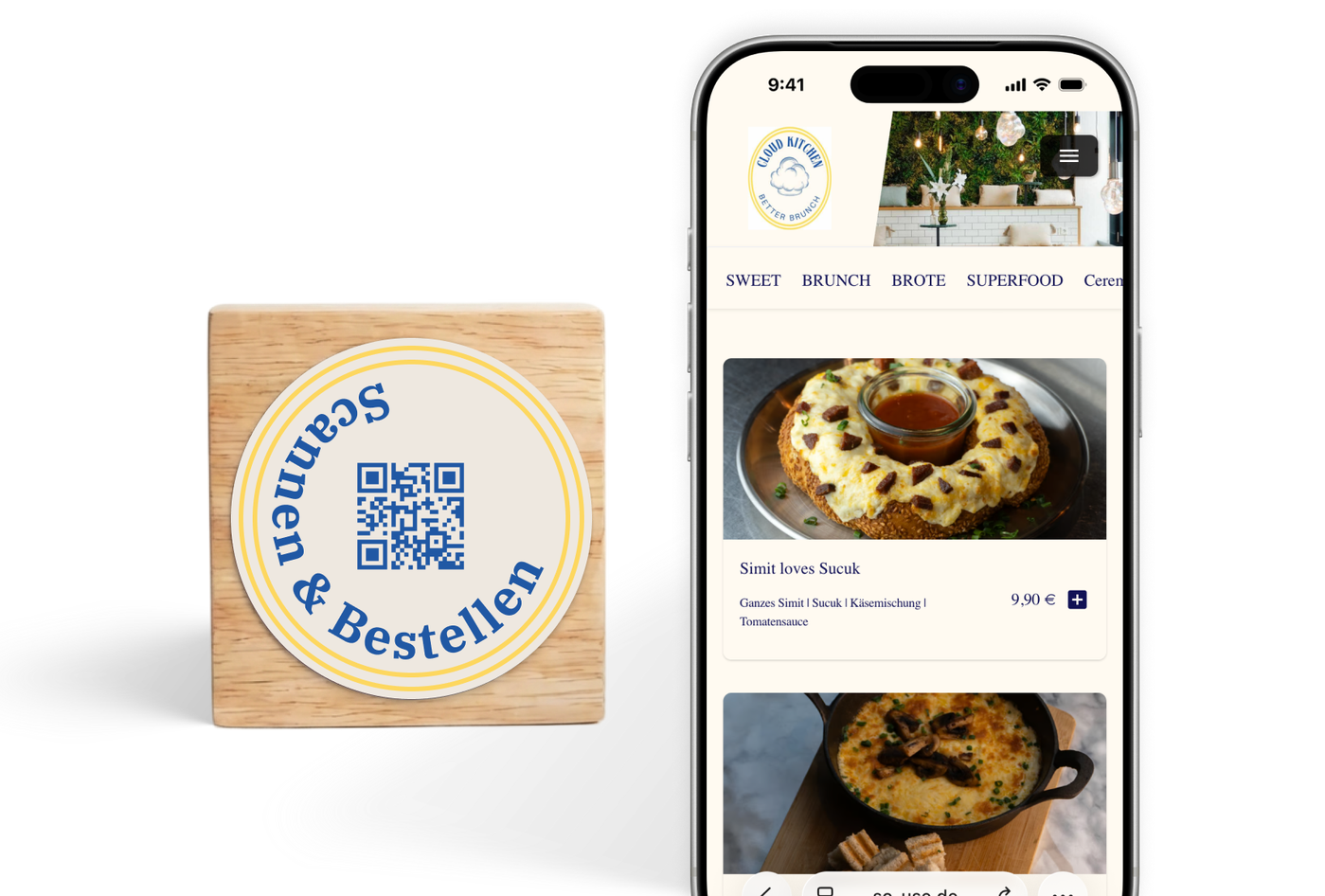
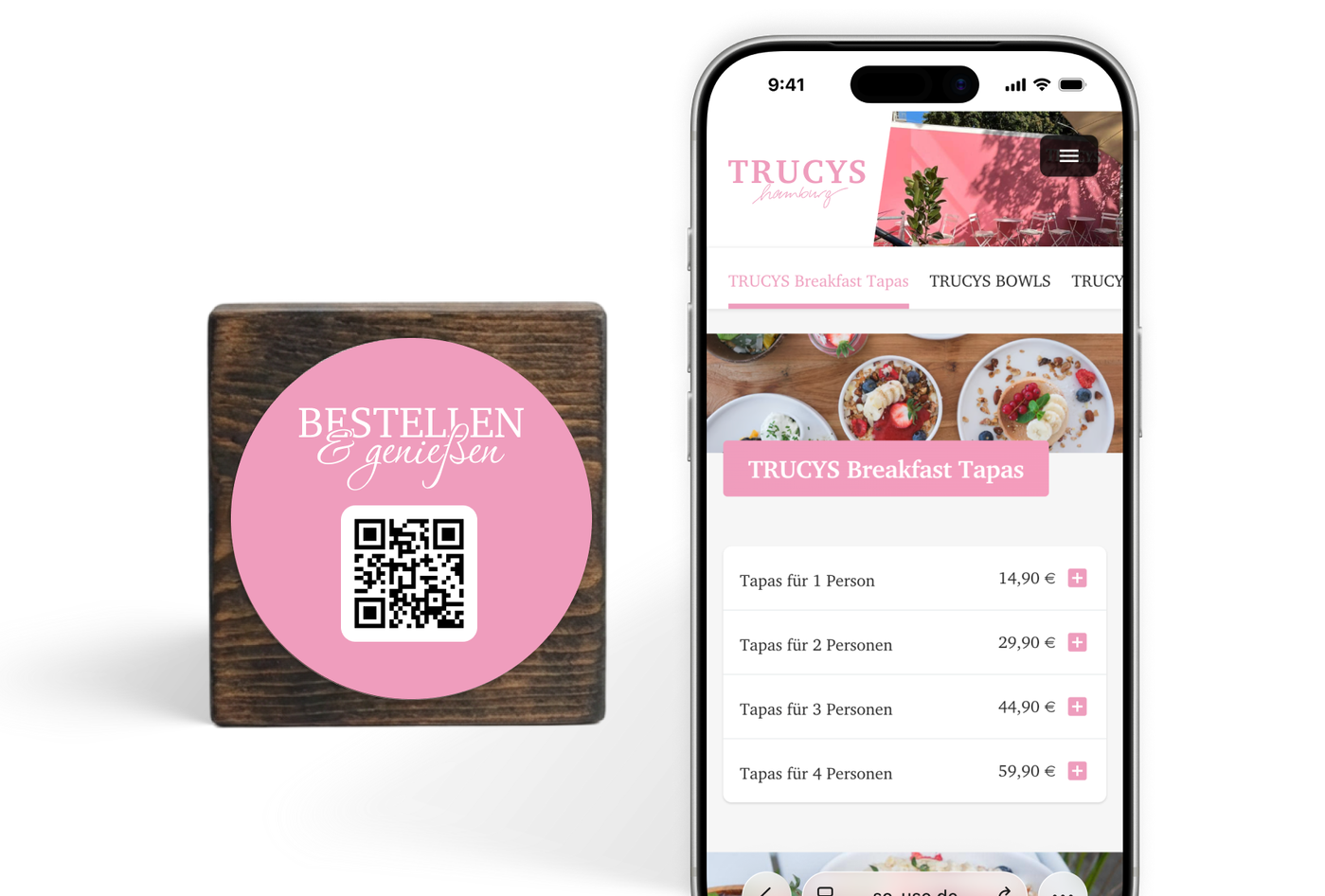
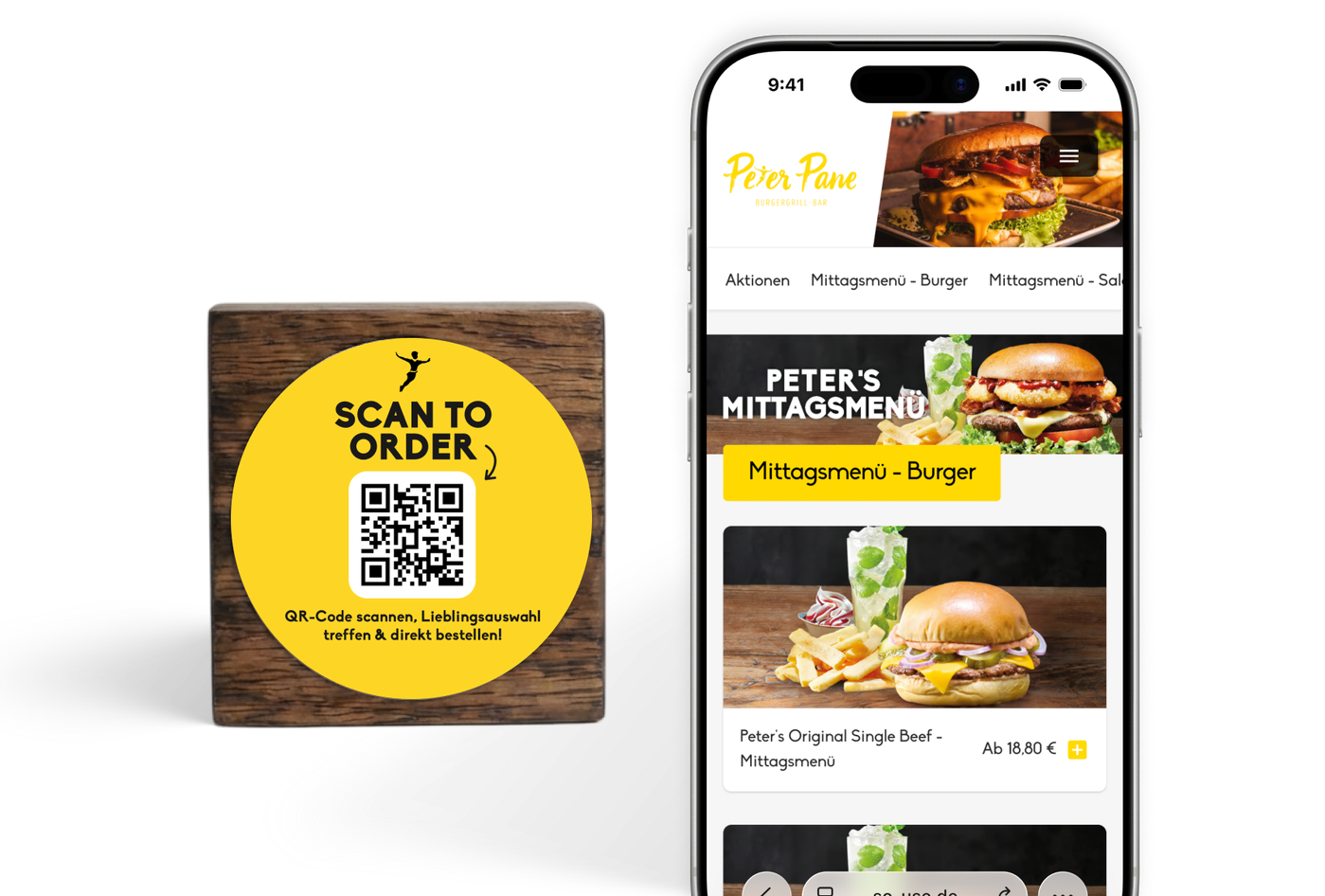
Your colors
We use your exact hex codes. No "close enough"—just 100% your corporate design.
Logo & images
Your brand takes center stage, not ours. Your photos define the menu's look.
Your fonts
Choose from over 1,000 free fonts or upload your own brand font.
Matching touchpoints
The QR code on the table matches the software on the phone. Everything looks seamless.
Your POS integrated directly, no middleware
SO'USE speaks your POS system's language: no detours, no extra costs. Full data synchronization with maximum stability.
Explore all integrations
From trendy spots to international franchises
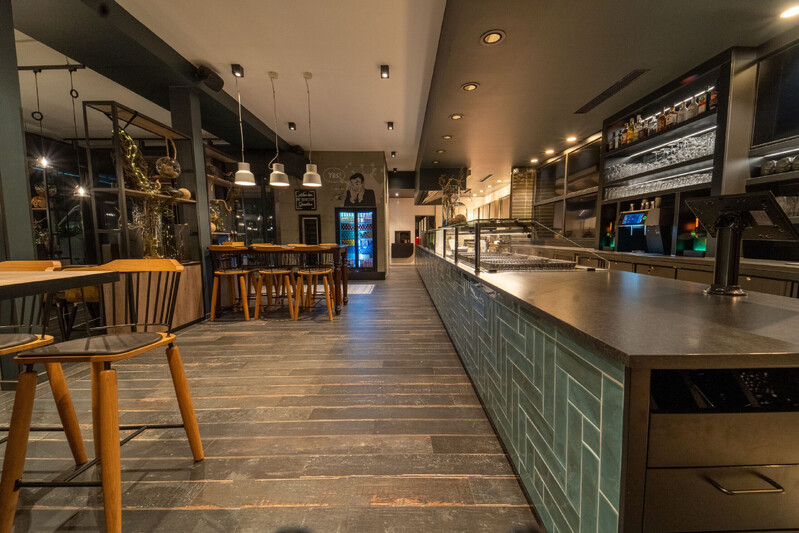
From food trucks to hotel chains—more hospitality businesses choose SO'USE every day. Over 1,500 venues are growing their success with us.







100% transparent pricing
0% commission
You only pay for the software usage and a fair rate for payment processing. No hidden fees.
Get the revenue booster now:
Includes software license and direct connection to your POS system.
What's included
-
“Order & Pay - Self Checkout” module
Unlimited orders and tables
-
Full POS integration
Orders go directly to your POS
-
No commission on sales
We don't take a percentage cut
-
Service & support
Personal support included—even via WhatsApp
Payment & transactions
Benefit from our exclusive rates for online payments. All payments are recorded automatically.
Service fee per transaction (card), plus bank fees (IC++)
And many other methods
Monthly payment
Fair billing - we only start billing once your onboarding is successful
Free onboarding
We guide you through the setup and can also create your menu upon request
Free support
Whether by email, ticket, or simply via WhatsApp: we are here if you need us
Free updates
New features and security updates are always activated automatically for you, at no extra cost
Frequently asked questions
How do guests access SO'USE?
Guests scan a QR code at the table to access SO'USE. During onboarding, we provide various options for table displays and plaques, including printing, at https://touchpoint-shop.de/.
Can guests call for service via SO'USE?
Yes, the system includes optional call-to-action buttons (e.g., "Call server" or "Clear table") to make communication between guests and staff more efficient.
What are the benefits of using SO'USE for me?
Using SO'USE offers various benefits depending on your restaurant concept. It primarily relieves service teams and acts as a "digital waiter" during staff shortages. SO'USE reduces walking distances for staff while the system handles order taking and payment processing.
Service teams gain more time for guest interaction and personal recommendations. Guests wait less because they order and pay whenever they want, rather than waiting for a server.
In self-service concepts, counter queues decrease significantly because guests only collect their order once it is ready.
You can also increase revenue. We primarily see an increase in reorders through SO'USE. Online payment options also lead to higher average order values.
Are there any specific requirements for using SO'USE?
No, SO'USE works for all hospitality concepts and businesses, whether bars, restaurants, hotels, or cafés.
We support both full-service and self-service establishments. The only requirement is a working internet connection.
What is included in the 'Base license incl. POS integration' for €50/month?
This license gives you access to the platform and back office, plus a two-way connection between SO'USE and your POS system. We sync your items so your menu is always up to date. All incoming orders, payments, and tips are sent directly to your POS system.
Does SO'USE work with every smartphone?
Yes, SO'USE works with every internet-enabled smartphone.
How long does it take to set up SO'USE in my business?
With our free onboarding and plug-and-play solutions, you are usually live and ready to go in a few days.
Can my guests leave a tip through SO'USE?
Yes. Tipping via SO'USE is always possible. If a guest pays on-site in cash or by card, your usual tipping process remains the same – no transaction is recorded in SO'USE.
If guests pay online via SO'USE, they choose a percentage tip (5%, 10%, 15%) or enter a fixed amount. You configure these tipping levels yourself and determine both the number of options and their values. Our intelligent "round up" function adds a percentage you define to the bill and then rounds it up to the next full Euro.
We can also pre-select a specific tipping level during checkout, which the guest then manually changes or deselects if they wish.
Can orders not placed via SO'USE also be paid for through the system?
Yes. With our self-checkout solution, your guests can pay for all orders assigned to a table, whether they were placed with the service staff or via SO'USE.
Other features include splitting the bill among guests at a table, selecting individual items, or one person paying for everything. Our self-checkout solution also integrates seamlessly with our Order & Pay solution.
What guest notification options are available for self-service concepts?
Self-service concepts offer many ways to notify guests via smartphone that their order is ready for pickup.
With SO'USE Order & Pay , the web app automatically updates guests on their order status. Most guests see these notifications, which is usually enough. You can also send updates via email, SMS (10ct/SMS), or push notification (currently Android only).
Our Kitchen Display System also lets you notify guests via pickup monitors inside your restaurant.
Additionally, you can use a pager system from our partner Discover Systems to inform guests at the table or after they use a self-order-terminal.
Can I customize the look of my food and drink menu?
Yes. SO'USE offers many design options. You can customize the menu structure with categories, items, and variants, and use our design settings to match colors and fonts to your brand.
You can also add a logo, a location image, and photos for categories and items.
What are the benefits of integrating SO'USE into the POS system?
All orders go directly into the POS system and are assigned to the respective table, just as if a server had entered the order manually. The system records all online payments for accounting in a TSE-compliant manner directly in the POS.
By importing the menu and item master data into the SO'USE system, you manage items in the POS as usual, and our system synchronizes them seamlessly. SO'USE automatically updates and adopts prices and items after any import or adjustment.
Which POS systems does SO'USE support?
We support most common POS systems in the DACH and BeNeLux regions and constantly integrate new ones to make SO'USE accessible to as many restaurateurs as possible.
Our Kitchen Display System currently supports:
ready2order
Untill (MS POS)
Lightspeed K-Series
What if my POS system isn't supported?
If your POS system isn't supported yet, that is not a problem. We will contact you immediately with feedback on the integration status – it might already be in progress or planned.
Until your integration is available, you can use SO'USE in standalone mode to manage orders via a tablet or connected receipt printers.
